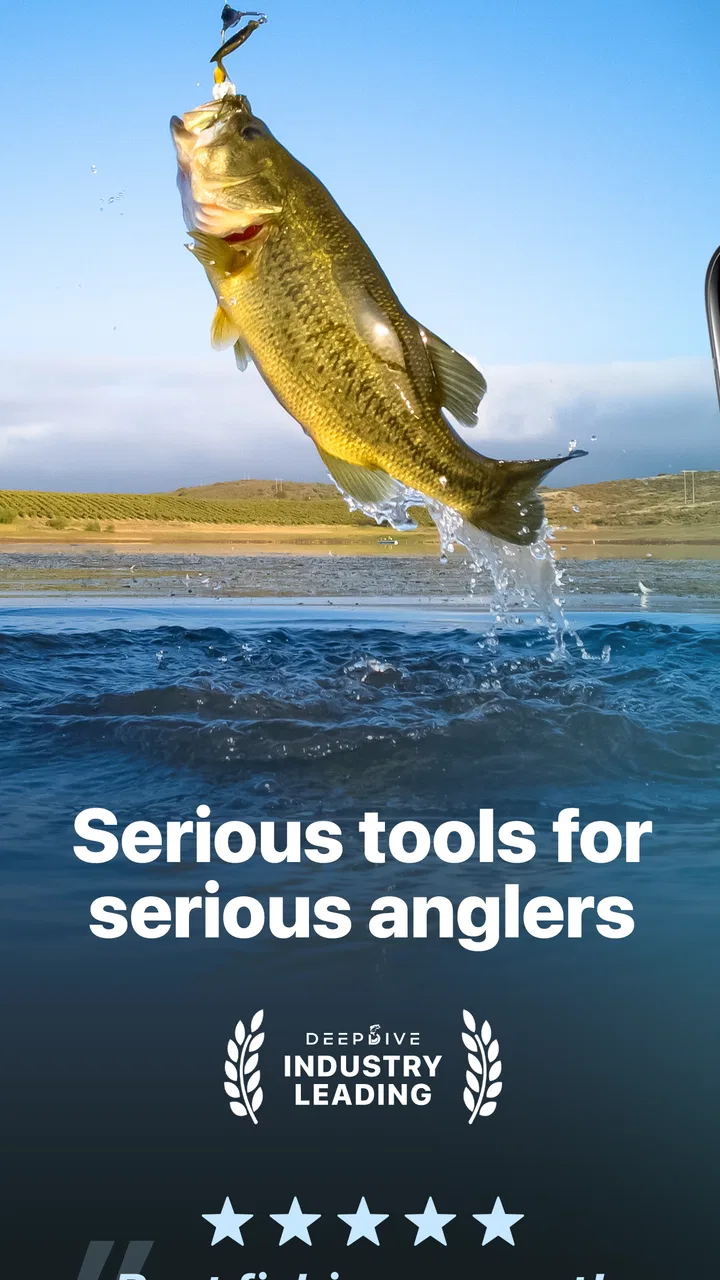
Deep Dive - Bass Fishing App
- 4.3
- Rating
- 100.00K
- Installs
- Free
- Price
 Analysis by App-foxy
I tried Deep Dive as a practical companion for bass fishing rather than treating it like a simple collection of fishing tips. Its focus is clear: helping me look at lake maps, identify promising fishing areas, check conditions, and think more carefully about bait and timing before heading out. That makes it a sports app with a useful planning role, especially when I want to turn a short fishing trip into a more deliberate session.
My first impression was that it sits between a conventional weather app and a traditional fishing reference guide. A weather app can tell me what the day may feel like, while a general fishing website may offer broad advice. Deep Dive brings those decisions closer together by putting maps, fishing locations, lure ideas, forecasts, and bite times in the same experience. It does not remove the need to observe the water, but it can make the preparation stage less scattered.
The app is free to install and is suitable for Everyone, which makes it easy to try on a shared household device. It comes from Deep Dive Technologies, Inc., and its current version is 2.18.1. On the store, it has a 4.6 average from around two thousand ratings, with over one hundred thousand installs. Those figures suggest that it has found a real audience among anglers, although popularity alone is not a substitute for checking whether its approach matches the way you fish.
You May Also Like

 Pandora - Music & Podcasts
Pandora’s Music Is Easy to Start, but Harder to Recover
Pandora’s strength is its low-effort path from a seed to a station. Its weak spot is how much confidence it asks you to place in connection, setup, and quiet recovery.

 AccuWeather: Weather Radar
AccuWeather Review: A Quick, Clear Forecast for Everyday Decisions
For everyday plans, the best forecast is the one you can understand quickly. AccuWeather makes rain timing, radar, and local conditions easy to act on, with a few trade-offs.

 Hill Climb Racing
Why Hill Climb Racing Still Turns Crashes Into One More Run
A tiny car, a bumpy hill and one more upgrade: Hill Climb Racing keeps resurfacing because its simple chaos makes every near-miss feel personal.

 AliExpress - Shopping App
AliExpress Makes Global Shopping Feel Personal, but Shoppers Bear the Risk
AliExpress turns a global marketplace into a pocket-sized discovery engine. Its reach is useful, its shopping loop compelling, and its trade-offs easy to miss.

 Lords Mobile: Kingdom Wars
Lords Mobile Is a Kingdom-Building Routine, Not a Quick Match
A case-by-case verdict on the building, battles, device demands, and social commitments that make Lords Mobile rewarding for some players and exhausting for others.

 PDF Scanner app - TapScanner
TapScanner Makes Paperwork Easier to Capture, Check, and Share
TapScanner makes scanning with a phone feel less like a rescue operation and more like a dependable step in getting work done. Its capture tools are useful, though not flawless.
More From Our News Desk
View All News


How Deep Dive fits into a shared fishing routine
A realistic use case is a household where one person owns the boat, another chooses the weekend destination, and a teenager or friend helps decide what equipment to bring. Instead of passing around several browser tabs, I can use the app as a common reference while planning. One person can look at the lake map, another can compare the forecast, and the group can discuss whether the suggested bait makes sense for the conditions they expect.
That shared-device role is one of the app’s more practical strengths. It is not just something I would open after reaching the shoreline. I would use it the night before to narrow down a plan, then check it again before leaving, and finally use it as a prompt for adjusting the day’s approach. The value comes from connecting those moments rather than relying on one isolated feature.
For example, I might be preparing for a short morning trip before work. I can examine the available lake information, consider the expected weather, and use bite-time guidance to decide whether the early start is worthwhile. If the conditions look less attractive, I may choose a different time or simplify the trip instead of packing every lure I own. That kind of preparation is more useful to me than a long list of generic bass-fishing advice.
There is also a useful distinction between planning together and handing the app over to someone else. A shared phone can help a group make a decision, but everyone still needs to understand what the information means. I would not expect a beginner to open a map and immediately know which area deserves attention. The best household use is collaborative: an experienced angler interprets the suggestions while a newer fisher learns how the choices connect.
What I would check before leaving home
I would begin with the lake map, not the lure recommendations. A map can shape the whole plan by showing where I should concentrate my attention instead of drifting randomly across the water. After that, I would check the weather forecast and bite-time information. Only then would I decide which baits or lures deserve space in the tackle box.
This order matters because it prevents the most tempting feature from taking over the decision. It is easy to become fixated on a pro bait recommendation and forget that location, light, wind, and timing may matter more for the particular session. I find Deep Dive more helpful when I use it to build a plan rather than asking it to make every choice for me.
A second useful habit is to create a small “minimum kit” for each outing. I would select a few lure options based on the app’s guidance, then add one or two dependable alternatives from my own experience. That keeps the app from encouraging overpacking. It also gives me a way to test its suggestions without abandoning the techniques I already trust.
Another practical tip is to treat bite times as a scheduling aid rather than a guarantee. If the recommended period overlaps with family commitments, travel, or a limited boat rental, I can still use the information to decide whether the trip is worth making. I would not cancel an outing solely because the timing looks less favorable; I would simply adjust my expectations and prepare to work harder for results.
Keeping account boundaries clear on a household phone
Because this is an app that may be used by more than one person, I would establish simple boundaries before sharing the device. The most important one is deciding who is responsible for changing any settings, starting a purchase, or interpreting a recommendation. The app includes in-app purchases ranging from $4.99 to $79.99 per item, so I would not let a child or casual guest tap through payment screens without the device owner being present.
That does not make the app unsuitable for families. It simply means that “free to install” should not be confused with “every part of the experience is free.” On a shared phone, the owner should handle purchase decisions and make sure everyone knows which parts can be used without spending money. I appreciate this distinction because it avoids an uncomfortable surprise after a younger family member explores the app independently.
I would also keep expectations realistic about personal preferences. One angler may want to use the map as a serious planning tool, while another may only want to glance at the forecast. Sharing the app works best when no one assumes that one person’s saved approach or lure choice automatically suits everyone else. The household can share the screen and the conversation without pretending that every fishing decision is universal.
For a group trip, I would take a screenshot or write down the key plan before leaving, especially if several people will be using the phone around water. That is not a special feature of Deep Dive; it is simply sensible device handling. A phone used near a boat, dock, or wet shoreline is easier to manage when the important information has already been discussed and nobody needs to keep passing it back and forth.
Using the app to coordinate people, not just tackle
Deep Dive becomes more valuable when it helps coordinate the outing itself. A fishing group often has limited time, different skill levels, and competing ideas about where to start. Looking at the same map and forecast gives everyone a shared starting point. I can explain why I prefer one area or time window without relying only on instinct, while still leaving room for the person with local knowledge to disagree.
This is especially helpful when a beginner joins an experienced angler. Instead of saying “we’ll just see what happens,” I can show the basic reasoning behind the plan: first identify the lake area, then consider conditions, then choose a manageable set of lures. That makes the day less intimidating for someone who does not yet know how to read every change in the water.
At the same time, I would avoid turning the app into a source of arguments. A forecast or bite-time indication is one input, not an authority that settles every disagreement. If the water looks different from what I expected, or if local observations contradict the initial plan, I would change course. The strongest coordination comes from using Deep Dive to start a conversation, not to end one.
For a household with several anglers, a simple division of responsibility works well. One person checks the map, another checks the forecast, and the most experienced person chooses the final tackle selection. This avoids having four people make unrelated decisions from the same screen. It also gives younger users a meaningful role without asking them to take responsibility for purchases or safety-sensitive choices around the water.
Age context and trust when younger anglers use it
The Everyone content rating makes the app approachable for a broad audience, and I can see why it would appeal to families introducing a child or teenager to fishing. The subject itself is educational and practical, and the map-and-conditions format can encourage curiosity. A young user can learn that fishing is not only about casting; it also involves location, timing, weather, and patience.
Still, an age rating does not replace adult guidance. A younger angler may read a suggested lure or promising fishing area as a promise of success. I would explain that the app offers planning information, not certainty. I would also make sure a child understands that the adult in charge decides where the group goes, how the device is used near water, and whether any purchase is appropriate.
Trust matters in another way: the person using the app should know which information is current enough for the decision at hand. I would check the forecast close to departure rather than relying only on an earlier look. I would also compare what the app suggests with what the group can actually see at the lake. This teaches a valuable habit—digital guidance is useful, but direct observation still matters.
I would skip making Deep Dive the main tool for a very young child who cannot yet distinguish advice from guarantee. In that situation, a parent-led explanation is more important than independent access. The app can support the learning experience, but it should not be treated as a substitute for supervision, local judgment, or basic water safety.
Where it beats ordinary alternatives—and where it does not
Compared with using a general weather app, Deep Dive is more relevant to the actual fishing decision. Weather information by itself does not tell me how to connect conditions with a lake map, lure selection, or bite timing. The advantage here is convenience and context: I can move through related fishing questions without switching between unrelated services.
Compared with a paper fishing guide, the app is easier to consult when I am planning around changing conditions. A printed guide can be enjoyable and useful for learning techniques, but it is less convenient when I want to move from a specific lake view to a forecast and then to a preparation decision. Deep Dive feels better suited to the practical “what should I consider for this outing?” stage.
Where a specialized local source may be better is depth and personal history. An experienced angler who keeps detailed notes about water levels, seasonal patterns, and successful locations may get more value from those records than from a general app. Deep Dive can organize preparation, but it cannot replace years of observation or a trusted local conversation. I would use it alongside personal knowledge rather than expecting it to outperform it.
I would also choose a different option if my main interest were broad fishing education, species other than bass, or a highly social fishing community. Deep Dive’s identity is focused, and that focus is a benefit when it matches my goal. It becomes less compelling when I want a general-purpose outdoor platform or a detailed personal logbook above everything else.
Small frictions that affect the experience
The biggest limitation is the temptation to overtrust organized information. Maps, forecasts, bite times, and lure guidance can make a trip feel scientifically planned, but fishing remains unpredictable. If I follow the app too rigidly, I may ignore a visible change in the water or a local technique that does not fit the initial recommendation. The app works best when it improves my preparation without narrowing my attention.
The in-app purchase range is another point to consider. Since the app is free to install but offers paid items, I would review the available experience before deciding whether it deserves additional spending. A casual angler may be satisfied with trying the free portion, while a frequent bass fisher may find paid additions more tempting. Either way, the household device owner should make the decision deliberately rather than treating every prompt as part of the basic app.
There is also a learning curve for people who are new to lake maps. A map can look authoritative while still requiring interpretation. I would spend time understanding what I am looking at before using it to direct a boat trip or promise a productive location to a group. That is not a flaw unique to this app, but it is an important trade-off: more information can help an experienced user faster than it helps a beginner.
Device compatibility is reasonably broad because the app supports Android 7.0 and later. That makes it practical for an older spare phone used on fishing trips, although I would still test the app on the actual device before relying on it for a planned outing. A household phone that is slow, nearly full, or difficult to read outdoors can reduce the benefit of any fishing tool.
My verdict for a household fishing setup
After using Deep Dive as a planning companion, I see its strongest role in the space between preparation and decision-making. It gives a household a common place to discuss lake areas, conditions, bait choices, and timing. I especially like the workflow of checking the map first, narrowing the plan with the forecast, and then selecting a modest tackle setup instead of carrying every option.
I would recommend it to bass anglers who want more structure before a trip, families sharing fishing plans, and beginners who benefit from seeing how several factors fit together. The free entry point makes it easy to explore, while the Everyone rating keeps it approachable for a mixed-age household. Its 4.6 average and more than one hundred thousand installs also indicate that it is not an obscure experiment, though I would still judge it by my own fishing style.
I would be more cautious if I wanted a full fishing journal, a broad multi-species reference, or a replacement for local expertise. I would also avoid letting a younger user handle purchase decisions independently, since optional items can cost from $4.99 up to $79.99. Those boundaries are simple to manage, but they matter on a shared device.
Overall, Deep Dive earns a place on my phone because it helps turn a vague fishing idea into a workable plan. It does not promise that the fish will cooperate, and I would not want it to. Its real value is giving me better questions to ask before I cast: where should I begin, what conditions am I facing, when is the timing most sensible, and which lures are worth bringing? For a household that treats fishing as a shared activity, that kind of coordination is enough to make the app genuinely useful.
FAQs for Deep Dive - Bass Fishing App
01What are the main features of Deep Dive - Bass Fishing App?
Deep Dive - Bass Fishing App offers a comprehensive experience for fishing enthusiasts. Key features include real-time weather updates, fish activity forecasts, and a detailed logbook for tracking your catches. The app also provides interactive maps with hotspot locations and tips from professional anglers to enhance your fishing strategy.
02Is Deep Dive - Bass Fishing App suitable for beginners?
Yes, the app is designed to cater to all skill levels, including beginners. It offers tutorials and guides on various fishing techniques, equipment recommendations, and how to read water conditions. The user-friendly interface makes it easy for novices to get started and improve their skills over time.
03Does the app require an internet connection?
Deep Dive - Bass Fishing App functions both online and offline. While an internet connection is needed for real-time weather updates and map downloads, many features, such as the logbook and saved maps, can be accessed offline, making it convenient for use in remote fishing locations.
04Are there in-app purchases or subscriptions?
The app is free to download with optional in-app purchases. Users can choose to upgrade to a premium subscription for access to advanced features like pro tips, exclusive fishing hotspots, and ad-free usage. Pricing details are available in the app store, allowing users to decide based on their needs.
05How accurate are the fish activity forecasts?
The app uses a combination of historical data, weather patterns, and lunar phases to provide fish activity forecasts. While the predictions are generally reliable, they are meant to be guides and not guarantees. Factors like local conditions and unexpected weather changes can affect fish behavior.
Pros
- Realistic fishing environments enhance immersion.
- Wide range of fish species to catch.
- User-friendly interface for easy navigation.
- Regular updates with new content.
- Offline mode available for remote fishing spots.
Cons
- In-app purchases can be costly.
- Requires frequent updates for bug fixes.
- Limited tutorial for beginners.
- Occasional connectivity issues.
- Graphics may drain battery quickly.

Deep Dive - Bass Fishing App
Gallery